Pay together, split fairly.
Split expenses in a group – for flat shares, trips, festivals or family. No account with us, no password, no ads.
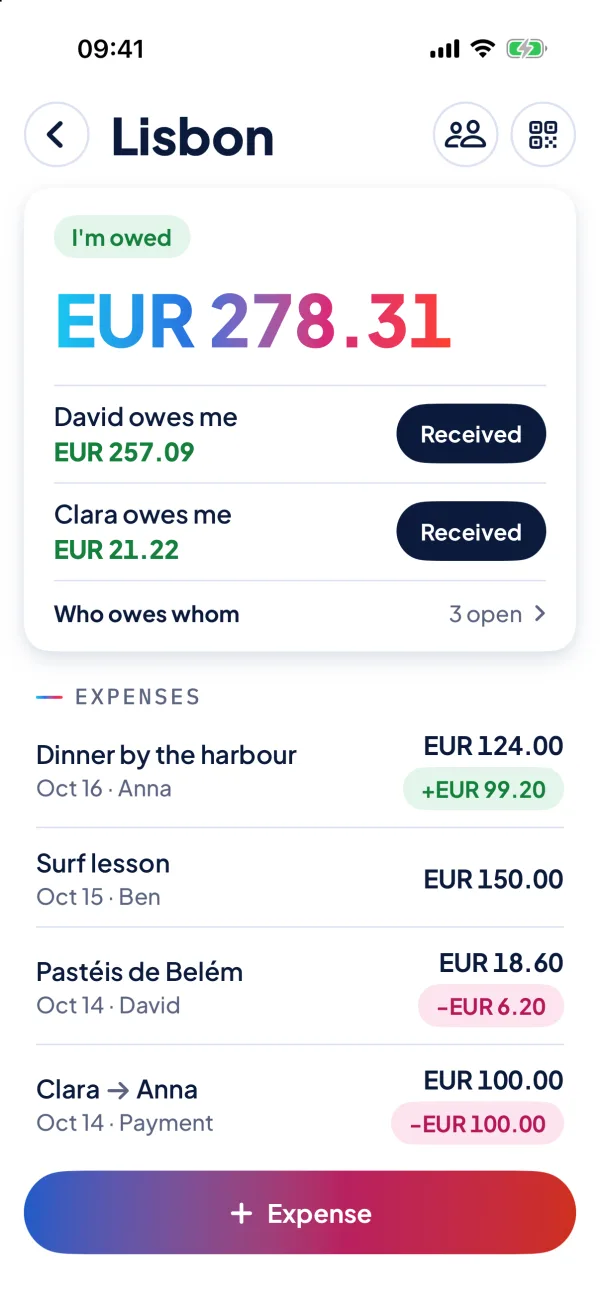
Nobody has to do the maths.
Everyone enters what they paid. NanoSplit knows who owes whom how much – the same on every iPhone in the group.
No account with us
No sign-up, no e-mail, no password. The app takes your name from your Apple ID with one tap – or you type it yourself.
Only you can read it
Everything is encrypted on the iPhone before it leaves the device. Only the members hold the key – neither Apple nor we do.
Few payments
Who owes whom? NanoSplit works out the shortest way. Money changed hands – one tap, and it’s in.
Works offline
You can always add expenses, even without signal. As soon as you’re back online, the group’s iPhones catch up.
New iPhone? Nothing to do
Your groups belong to your Apple ID and are simply back on a new iPhone.
Photo of the receipt
Attach the receipt to the expense – at full size, so the amounts stay readable when you zoom in.
Ready in a minute.
- 01
Create a group
Name, currency, done. People without the app can simply be added by name.
- 02
Invite
The others scan the QR code with their camera or get the link. Joining is one tap.
- 03
Add expenses
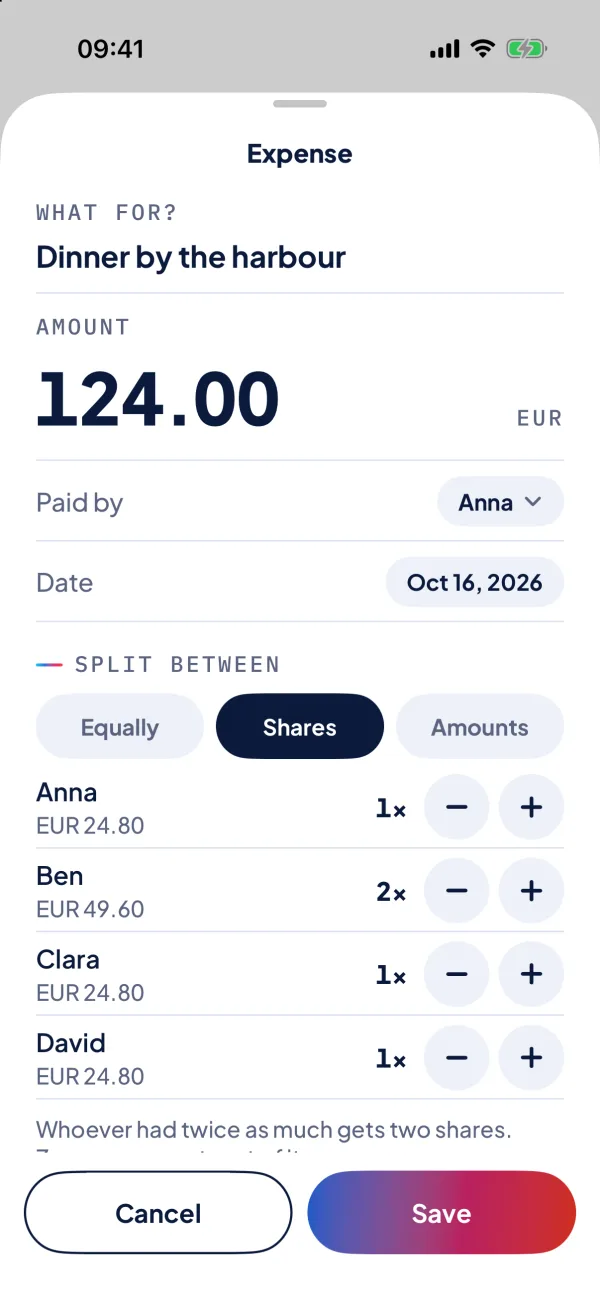
Split equally, by shares or with fixed amounts. Everyone sees it right away, with a notification.
- 04
Settle up
At the top: what you get or owe – and to whom. Paid? One tap, and everyone’s square.
Good to know
What does NanoSplit cost?
Downloading and trying it costs nothing, and small groups stay free. Larger groups will need a one-time purchase – no subscription, no ads.
Who can see my group?
Only those who have the invitation link. Entries are encrypted on the iPhone; neither Apple nor we can read them. So send the link only to people who belong.
Where is my data?
On the group’s iPhones – and encrypted in iCloud, so the iPhones can sync even if they’re never in the same room. There is no server of our own.
Does everyone need the app?
No. Whoever has no iPhone or doesn’t want the app can be added by name; the others enter expenses for them. NanoSplit is for iPhone only.
Can I attach a photo of the receipt?
Yes. Snap the receipt or pick it from your photos – it stays with the expense, and everyone in the group sees it, encrypted like every entry. The photo goes along at full size, so the amounts stay readable when you zoom in.
Can someone pass as me?
No. Your name in a group is tied to your iCloud account as soon as you’ve taken it. Every expense shows whose iPhone entered it.

The next trip is coming.
Get NanoSplit, create a group and send the link around.
Get it on the App StoreNo ads · no account with us